
Microsoft Excel: Beginner to Advanced
Learn Excel from the basics to practical formulas, data cleaning, charts and PivotTables for study and office work.
 Instructor: adminUpdated course information

About this course
Learn Excel from the basics to practical formulas, data cleaning, charts and PivotTables for study and office work.
Microsoft Excel: Beginner to Advanced is a practical, beginner-friendly ASET Academy course. Learners build foundational knowledge through guided lessons, examples, practice activities and a final task. The course is designed to support study, employability, workplace productivity and small business development.
Course curriculum
12 lessons in 4 learning sections
01Excel Foundations3 lessons⌄
02Formulas and Functions3 lessons⌄
03Data Management and Visualisation3 lessons⌄
04Analysis and Practical Project3 lessons⌄
What you will learn
Navigate workbooks and worksheets confidently
Format and organise spreadsheet data
Use essential formulas and logical functions
Clean data and create charts and PivotTables
What you need
Basic computer operation
Course instructor

Questions & reviews
Examinations
Log in to access examinations.
Student reviews
No approved reviews yet.
Only enrolled students can review this course.
Explore more courses

Digital Marketing Fundamentals
Understand the digital marketing landscape and plan practical campaigns using search, social media, content and analytics.
FREE
View course
Executive Business Administration & Operations
Overview Essential operations, task management, corporate etiquette, and executive reporting skills for business executives.
3,000.00 BDT
View course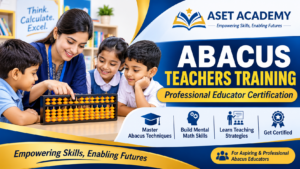
Abacus Teachers Training Program
10,000.00 BDT
View course